Pages

Showing posts with label Softwares. Show all posts

Sunday, December 11, 2016

EASEUS Partition Master Home Edition 11.9

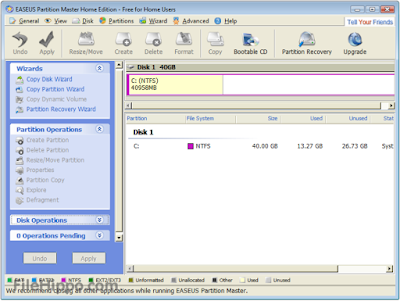
As Partition Magic alternative, EASEUS Partition Master Home Edition is a FREE ALL-IN-ONE partition solution and disk management utility. It allows you to extend partition (especially for system drive), manage disk space easily, settle low disk space problem on MBR and GUID partition table (GPT) disk.



  • Resize/Move partition
  • Extend system drive
  • Copy disk & partition
  • Merge partition
  • Split partition
  • Redistribute free space
  • Convert dynamic disk
  • Recover partition

Please download by this link: EaseUS Partition

Saturday, December 10, 2016

How to Fix IDM extension is not compatible with new version of browser (working 100%)

When we install any browser and want to download video, app, document from the website quickly.
that we also know the software is call Internet Download Manager (IDM). That working fine when these two software (IDM and Browser) is compatible version. Unfortunately when the web browser is require to update and we updated it but IDM is not update yet so it will be cannot use IDM for quick download file from that website any more. it will showing IDM extension not compatible with that browser.

Solution: is we can download IDMcc for enable back this  IDM extension.
  

please help to like and subscribe my channel : Network Khmer that have knowledge about:

- Networking 
- Computer troubleshooting
- Acknowledgement of IT

Regards and Thanks

Tuesday, November 22, 2016

Advanced Subnet Calculator

There is a lot more to managing your IP network than simple subnetting

Network discovery

Before you can manage subnets, you need to know how your network is being used. Do you know?

Network subnetting

Whether you are creating or combining subnets, one mistake can cause problems. Do you have the tools to make error-free changes?

IP address tracking

Once the network is organized, do you have the tools to track which IP addresses are in use or available?

Download click link bellow : SolarWinds-Subnet-Calculator

Sunday, November 20, 2016

How to use Rufus to create a bootable USB drive to install any OS (Window and Linux)


  1. Rufus requires an account with admin access in order to make the necessary changes to hardware. After authenticating, insert the USB flash drive and launch Rufus. It will detect the drive almost immediately. Since Rufus can handle various partition schemes and file structures, ensure that the correct settings are set that match the UFD you're going to build.
  2. Click the optical drive button next to the Create a bootable disk using checkbox, and you'll be prompted to search for the ISO image to use.
  3. When using ISO images, Rufus will automatically modify the settings to best match it. Once everything is set correctly, click the Start button to begin the process. You'll be prompted with a warning that all data on the UFD will be destroyed. Click OK to proceed with the creation process.
  4. Depending on the ISO image size, the process may take several minutes to complete. For the log readout of each step in the process, click the Log button to open a side window and save the output details.
  5. Wait until finish and you will show in flash like this:


Please download rufus by click this link: rufus-2.9.exe

Friday, November 18, 2016

GNS3 Network Simulator

Windows Install Guide
Download
Installation
This document will take you through the steps to get started with GNS3 in a Windows environment.

All of the critical and most important things to know will be covered, but for an in-depth discussion, 
see other Getting Started Documents.
The easiest way to install GNS3 on Windows is to use the "all-in-one" installer that can be downloaded 
from our download section.

Find the file you downloaded and double-click on it to begin the installation. Everything else is a 
matter of clicking on next button if you don't want to customize your installation.

GNS3 depends on several other programs to operate. Those software dependencies include 
WinPcap, Dynamips and Qemu to name a few.

These main components along with GNS3 are all chosen by default for installation. The default 
location to install GNS3 is also chosen for you.

Moreover note that if needed, WinPcap Setup Wizard will be launched for you to install it, this 
dependency is required for GNS3 to communicate with real networks through a physical network 
internal controller. Make sure that the "Automatically start the WinPcap driver at boot time" check box 
is ticked.

Once the installation completed, click the Start button, All Programs, GNS3, and then choose GNS3 
out of the list of applications installed. The GNS3 graphical interface will start.


Copy link for download :


Packet Tracer latest version 7.0.0

Download free Cisco Packet Tracer 7.0 labs designed by our team for CCNA exam training. Some of this activity material is not compatible with previous software versions. Please update your Packet Tracer software on Cisco Netacad pages before downloading our labs. The majority of the labs is backward compatible with previous Packet Tracer 6.2 & 6.3 versions.


You can download link below:


If cannot download please send email tonetsmbs@gmail.com